Ensnared by consumerism (Dell Alienware AW3425DW review)
Since I was a senior in high school, I've been looking forward to an early retirement.
Sounds like I need a hubris check? Certainly. But my presumption was not of high income; it was of a high savings rate.
Back when the blogosphere was at its healthiest, prominent figures like Mr. Money Mustache pioneered a movement called "Financial Independence, Retire Early", or FIRE for short. The premise is that middle-class Americans waste their money on conveniences and luxuries that don't make their lives better, and that by "focusing on happiness itself", you can save 50% or more of your income and retire early if you want.
As an individual especially impartial to long days spent immobile with eyes fixated on screens, early retirement seemed like an obvious choice over daily avocado toast, non-pirated TV subscriptions, or new cars, and I'm very ashamed to admit that I thought of people who purchased such things as foolish, as if I was somehow more qualified to spend their money than they.
I have lived rather frugally in college, shying away from fancy apartments and often choosing inexpensive meals like beans and rice. Rarely has this lifestyle felt like a burden. I imagined I would retain my spending habits after college and enjoy an abnormally high savings rate.
That started to slip a few weeks ago, when I got my first paycheck from my internship. When the number in one's bank account increases, one feels a natural impulse to bring it back down, as if it were at equilibrium before. Window shopping for enthusiast consumer electronics on Reddit changes from a fantasy to asking oneself what afford really means. If something costs less than one's net worth, surely that means one can afford it! I tried to rationalize my wayward impulses, thinking of the importance of things like emergency funds. I reminded myself that some things money cannot buy. Then I considered the fact that a 240Hz 1440p ultrawide OLED monitor was not one of those things. Like a modern version of Ralphie in the 1983 film A Christmas Story, I watched reviews, compared specs, and played out thought experiments. One day, I found myself lugging a giant box out of a Best Buy and onto the bus.
A diversion in technicality
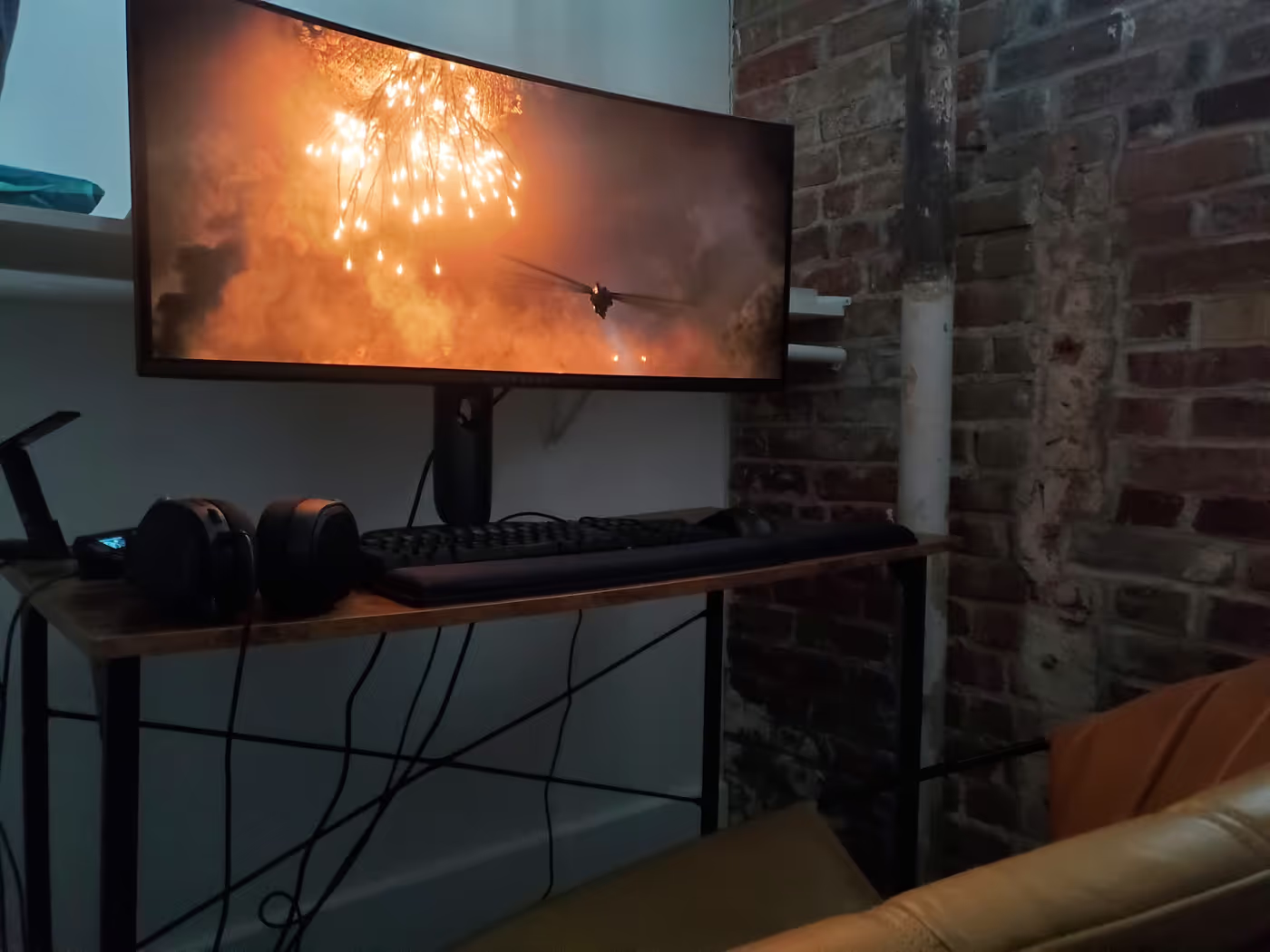
My unit of choice was the Dell Alienware AW3425DW. The motivation for its purchase was to enjoy an excellent HDR experience in movies and games, which it excels at. QD-OLED monitors don't get as bright as their TV counterparts, but I've never felt the brightness insufficient, especially not in my closet.
Oh yeah. There's not a good space for a PC setup in my bedroom, so I use the walk-in closet instead.
There are lots of HDR modes. I don't understand the difference between them.
The monitor didn't come with a manual. All I know is HDR works and it looks
good. My Wayland compositor of choice, Niri, doesn't
support HDR yet, so I use GNOME or KDE when consuming HDR content. KDE's
implementation is more mature, and I think it's slightly better. I actually
found OLED contrast to be annoying on movies with pronounced film grain, like
Rogue One: A Star Wars Story, where dark shots looked noisy. Changing the
mode to "Creator" helped a lot, as did tweaking some mpv settings. However, I
never found a fix as effective as reducing the brightness.
Gaming on HDR is really neat—when it works. A lot of games don't support HDR on PC at all, even on Windows. For the ones that do, Nvidia drivers become an issue. There are some improvements to Linux HDR support on newer Nvidia drivers, but drivers for Pascal-era cards like mine don't have those fixes, so they require setting extra environment variables. It's also necessary to use a third-party fork of Proton called Proton-GE, unless you want to use a piece of Valve software called Gamescope, which did not help any games I tried. Even then, support varies widely by game. Ori and the Will of the Wisps was beautiful HDR without having to touch a single setting. Borderlands 3 had horribly oversaturated colors until I switched from DirectX 12 to DirectX 11. Deep Rock Galactic, when I finally discovered the correct permutation of environment variables to get it to even recognize it was running on an HDR display, showed extremely washed out colors that I never figured out how to fix.
The monitor supports a refresh rate of 240 Hz, but even with DSC, my GPU's DisplayPort output is too old to reach that. Instead, I run it at 165 Hz, which is enough to make UI animations feel smooth, even at the large screen size. At 3440x1440, my GPU can't render many games above 60 FPS, so I find desktop animations to be the most visible aspect of the high refresh rate. In Niri, I frequently see animations that take the full height or width of the display, which on this monitor feel responsive, natural, and satisfying. Niri marries highly optimized GPU rendering with finely tuned easing profiles, and it shows.
The aspect ratio is tremendously beneficial for movies and TV shows. On normal 16:9 screens, including TVs, most movies play with black bars on the top and bottom, but on a 21:9 screen, the picture goes from corner to corner. This means although it's technically a 1440p display, it's hardly any less pixels than 4K. The picture is tremendously sharp, and for a single-person "PC theater" setup, this is the best money can buy until another 0 is appended to the price. The extra screen real estate is also nice for productivity. Three windows fit side by side at the widths comparable to two windows on a regular monitor.
People like to rave about OLED's true blacks. They say it has "perfect blacks", which I find to be misleading. Perfect blacks do not mean black pixels are perfectly black. Perfect blacks mean black pixels are the same color as they are when the monitor is turned off. The thing is, when the monitor is turned off, the screen is not quite black. It's noticeably less black than the bezels, and, with enough ambient light, it takes on a dark gray with a slight magenta tint. The blacks are not black unless in a perfectly dark room. Which I am in now, and even so, if I lean forward and stare at the pixels, I can see they're still not as black as the bezel because the light from the monitor is bouncing off the white wall behind me and back onto the monitor. However, this is not noticeable during normal use. Funnily enough, I notice this benefit the most not in games or movies but when writing code in the terminal, whose background color I have set to pure black. Unfortunately, I do not own a camera good enough to capture the nuances discussed in this paragraph.
Overall, the image quality itself, though good, is inferior to my laptop's OLED screen, which has punchier HDR and more vibrant colors. This might be a software or configuration issue because the monitor is supposed to be quite color accurate, with nearly full DCI-P3 coverage.
Many people are concerned about burn-in on OLED monitors, I among them as someone who writes code a lot. I decided that rather than policing my own computer use and going to extreme lengths to babysit my delicate electronics, I will simply write code when I feel like doing so, and if the monitor goes bad in three years, that's OK. Mini-LED backlighting technology will have matured by then, enabling comparable image quality and improved brightness without burn-in concern.
Further reflection on the implications on my character
I experimented with a lifestyle markedly different than the one I thought I wanted. Sometimes, I wonder if any form of entertainment could be worth as much as I spent. Yet at the same time, I haven't managed to convince myself to regret it. In fact, the monitor calls for a major hardware upgrade to properly take advantage of its refresh rate.
So, which path to follow? Will I be happier finding contentment in what I already possess, or freeing myself to spend the money I've earned?
Time will tell. There is only one truth I am sure of: I've never lived this close to a Micro Center before.